
Harvest to Keito migrationHarvest to Keito
Preview and move your Harvest history into a new Keito workspace before your team switches over.


Overview
Bring your Harvest history with you
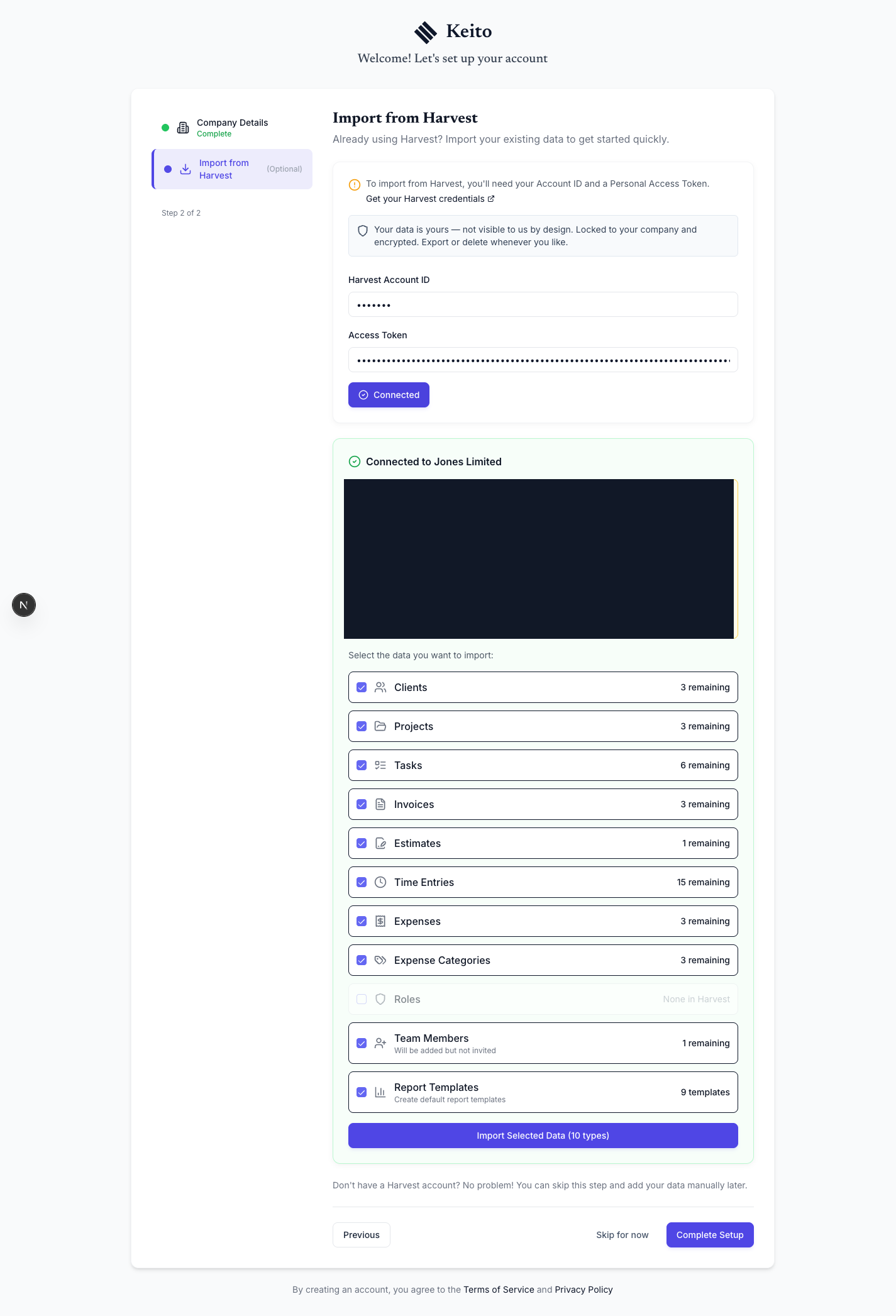
See what is in Harvest before the import starts, then choose which people, projects, time entries, expenses, invoices, estimates, and reports to bring into Keito.
This is a one-time move rather than an ongoing sync. Large imports can pick up where they left off, anything skipped stays visible for review, and teammates are only invited when the new workspace is ready.
Key features
- Preview what will move before importing
- Choose the data your new workspace needs
- Resume a large import if it is interrupted
- Review anything skipped before the team switches over
How it works
Move from Harvest in three steps
- 1
Connect and preview
Connect Harvest and compare the preview with what you expect to move.
- 2
Choose what to bring
Select the people, history, and business records the Keito workspace needs.
- 3
Import and review
Follow the progress, resolve anything skipped, and check the completed workspace.
Harvest to Keito
Move the history before the team switches
Review the import, then invite the team when the new Keito workspace is ready.
- Free 14-day trial
- Cancel anytime
- No per-seat fees
Importing from
Harvest
78%
Imported
12,486 records
Remaining
3,521 records