
monday.com time tracking integrationmonday.com + Keito
Link monday.com items to the right Keito project and task, with optional recorded-hour totals back on the board.


Overview
Record time against monday.com boards and items
Connect a monday.com board to the right Keito project and task, with the option to choose a different destination for a specific item. Teammates only see the monday.com work they already have access to.
Keito links items without changing them by default. If the team wants recorded hours to appear on the board, an administrator can copy totals into dedicated Numbers columns.
Key features
- Map boards or individual items to Keito projects and tasks
- Search only the monday.com work each teammate can access
- Keep item names, board context, and links with the time entry
- Optionally copy recorded-hour totals to configured Numbers columns
How it works
Map monday.com work in three steps
- 1
Connect the account
An administrator connects the team’s monday.com account, then teammates link their own accounts.
- 2
Choose where the work belongs
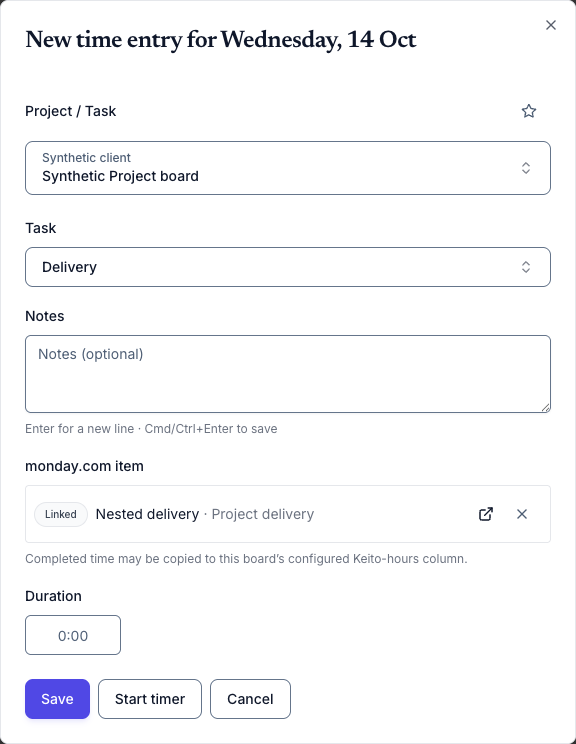
Link a board or individual item to the Keito project and task where its time should be recorded.
- 3
Link while tracking
Choose a monday.com item while tracking so its name and link stay with the Keito entry.
monday.com + Keito
Turn monday.com work into accurate client time
Keep the item name and link with every entry, then review and bill the time in Keito.
- Free 14-day trial
- Cancel anytime
- No per-seat fees
monday.com item
Finalise campaign assets
Keito project
Spring campaign
Time
2:05