Expense Reports
The Detailed expenses report is a Business feature for analysing individual expense records across a workspace. Pro includes expense tracking and approvals, but not this advanced reporting screen.
See the Reporting Overview for the complete plan comparison.
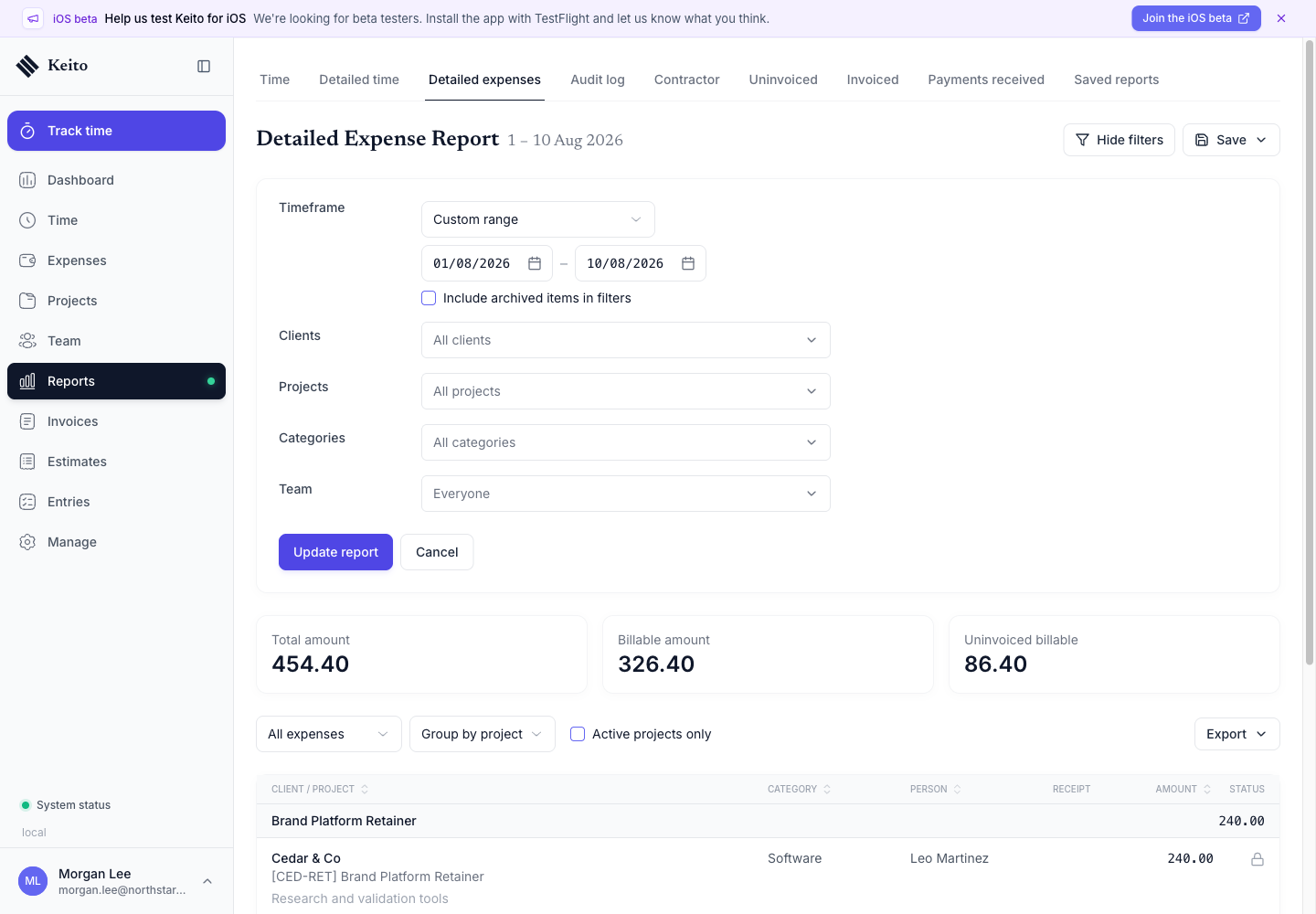
What the report shows
Each row can show:
- Date
- Team member
- Client and project
- Category
- Notes and project context
- Amount
- Billable status
- Receipt indicator
- Approval status
Report Metrics
| Metric | Description |
|---|---|
| Total Amount | All expenses in the period |
| Billable Amount | Expenses chargeable to clients |
| Uninvoiced Billable | Billable expenses not yet included on an invoice |
Filtering
Filter the report by:
- Date range — Preset or custom periods
- Client — Specific clients
- Project — Specific projects
- Category — Expense types
- Team — One or more people
- Billable status — Billable, Non-billable, or All
- Approval status — Approved, Submitted, Unsubmitted, or All
Group the result by project, client, category, or person, then choose all, billable, non-billable, invoiced, or uninvoiced expenses.
Save and export
Click Save to preserve the current filter setup. A saved report can remain private or be shared with selected teammates. Use Export to download the advanced result; advanced report exports require Business.
Permissions
- Members see their own expenses.
- Managers see expenses for the people and projects included in their manager permissions.
- Administrators and owners see expenses across the workspace.
- Financial fields remain subject to the user’s rate and amount permissions.