Exporting Data
Export your Keito data for use in spreadsheets, accounting software, or custom analysis tools.
Standard CSV and Excel exports are included on Solo, Pro, and Business. Business also includes exports from advanced detailed reports and the activity log.
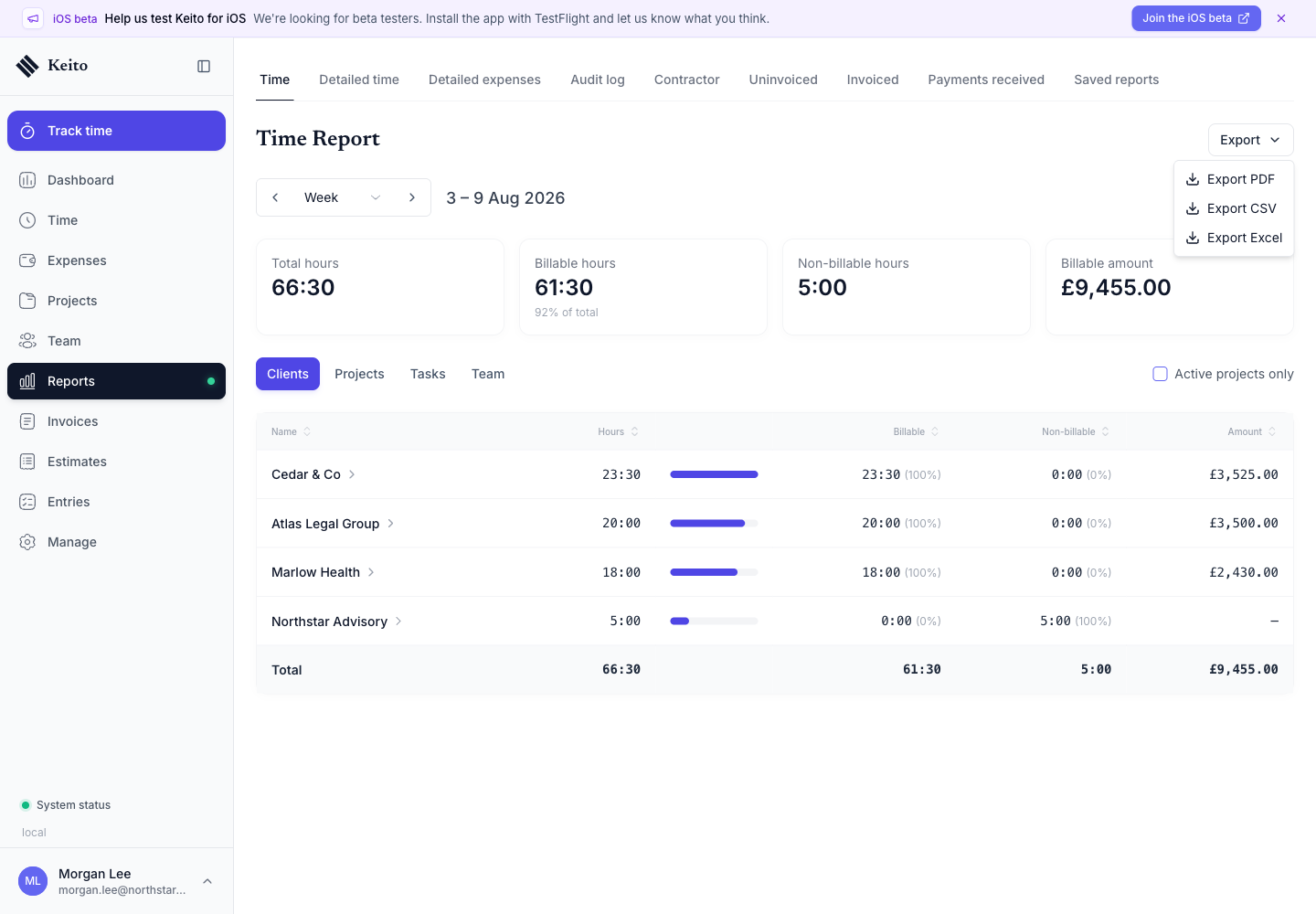
The summary time report also has PDF, CSV, and Excel downloads. See the Reporting Overview for the plan-by-plan report comparison.
Export Formats
Keito supports two export formats:
CSV
A universal plain-text format compatible with any spreadsheet application. Best for simple data analysis or importing into other systems.
Excel (.xlsx)
A formatted spreadsheet with proper column types, headers, and styling. Best for sharing polished reports or doing advanced analysis in Excel/Google Sheets.
PDF from the summary time report
The summary time report can produce a presentation-ready PDF alongside its CSV and Excel options.
What You Can Export
Time Entries
Export tracked time with the following columns:
- Date, Client, Project, Task, Team Member
- Notes, Hours, Billable (Yes/No)
- Billed (Yes/No), Hourly Rate, Billable Amount
For workspaces with time rounding enabled, detailed-time CSV and Excel exports preserve Hours as the rounded compatibility value and add Actual Hours and Rounded Hours. PDF time reports use rounded time because they are intended as client-facing documents.
Timer entries show their start and end times before the description in the Detailed Time export’s Notes field by default. A workspace administrator can open Settings → Preferences → Reporting and change Detailed time export clock times from Shown to Hidden. The choice applies to new CSV, Excel, table PDF, and entry-list PDF downloads.
This setting changes only Detailed Time exports. Descriptions shown on screen and generated time-report attachments added to invoices remain independent.
Filters: Date range, project, client, team member, billable status, approval status.
Expenses
Export expense records including:
- Date, Client, Project, Category, Team Member
- Notes, Amount, Billable (Yes/No)
- Billed (Yes/No), Receipt (Yes/No)
Filters: Date range, project, client, category, approval status.
Projects
Export your project list with:
- Name, Client, Project Type, Budget
- Spent, Remaining, Status (Active/Archived)
Filters: Active, Archived, Budgeted.
Invoices
Export invoice data including:
- Invoice Number, Client, Total Amount
- State (Draft/Open/Paid/Closed), Due Date, Balance
Filters: State, date range, client.
Clients
Export your client directory:
- Name, Address, Currency, Status (Active/Archived)
Filters: Active, Archived.
Team
Export team member information:
- Name, Email, Role, Weekly Capacity
- Hourly Rate, Contractor/Employee
Filters: Active, Deactivated.
Audit Log (Business)
Owners and administrators can open Reports → Audit Log, select a period and filters, then choose Export → Export as CSV. The download includes all matching events with the recorded before/after values for changed fields, plus audit event and record IDs.
Before means immediately before that event. Creation values are available only where a Created event recorded them; older or imported records may have incomplete history. See Audit Log Exports for value meanings, reference names, and permissions.
How to Export
- Go to Settings -> Import/Export.
- Select the data set you want to export.
- Apply any available filters.
- Choose CSV or Excel.
- Click Export to download the file.
Business workspaces can also export directly from detailed time, detailed expense, project report, and activity-log screens.
Exports run from a Business saved report can use Report Export Settings to customise their title, filename, worksheet name, and existing column labels. These presentation settings do not change the report’s filters or reveal fields the viewer cannot access.
Access Control
- Standard data export is available on Solo, Pro, and Business.
- Advanced report exports require a Business workspace.
- Workspace owners and administrators can use the standard export centre.
- Members, managers, and client users cannot download workspace-wide standard exports.
- Advanced report screens continue to apply their own role and data-scope permissions.
Exported files contain only the data you have permission to view.
Large Exports
Each standard export can contain up to 10,000 rows. If an export is larger, Keito shows an error instead of silently returning an incomplete file. Use the date or record filters to narrow the export and try again.
Before Deleting a Workspace
Account and data deletion is permanent. Before deleting a workspace, export any time entries, expenses, invoices, clients, projects, and team records you need to keep. Owners and administrators who need a complete recurring portable export can use the Workspace Backup API.
See Delete Account and Data for the full deletion process.
Tips
- Apply filters before exporting to get exactly the data you need.
- Use CSV for importing into other tools (accounting software, project management systems).
- Use Excel for polished reports to share with stakeholders.
- Use spreadsheet exports for reporting and filtered analysis. Use the Workspace Backup API when you need a versioned, paginated copy of all portable workspace resources and related files.