Asana Integration
Keito’s Asana integration puts a Track time in Keito form and a Keito widget directly on Asana tasks. It uses Asana App Components, so there is no browser extension to install: the workflow runs in the Asana task pane.
The integration is available on the Keito Business plan.
Requirements
- A Keito Business plan. Workspaces on Solo or Pro are asked to upgrade to Business.
- A Keito workspace owner or administrator to make the first workspace connection.
- The Keito app installed in Asana.
- Each team member connects their own Asana and Keito accounts the first time they track time.
What It Does
- Starts a Keito timer or logs a completed duration from an Asana task.
- Prefills Notes with the Asana task name, and links the Keito time entry back to the task.
- Remembers the Keito project and task selected for an Asana task, and shares that selection with other authorised members who can access the Keito project.
- Shows team time, your time, and whether your timer is running in a widget on the Asana task.
- Links from the widget to the Keito detailed time report filtered to that Asana task.
- Lets Business admins import Asana projects and people, and turn on one-way project sync. See Asana Import & Project Sync.
Time is stored only in Keito. Keito never writes to Asana’s native time-tracking fields, comments, or timesheets.
Connect The Workspace
The first connection establishes which Asana workspace belongs to which Keito workspace. It must be made by a Keito owner or administrator.
- Install Keito from the Asana app gallery, or open the Keito install link.
- Authorise Asana when prompted.
- Sign in to Keito in the popup.
- Open an Asana task and choose Track time in Keito.
To add Keito to more Asana projects later, open the project in Asana and use Customize > Apps.
After the workspace is connected, each team member connects their own Asana and Keito accounts the first time they use Track time in Keito, so time is attributed to the right Keito member. Keito owners and administrators can review the connection in Keito under Settings > Integrations > Asana.
Track Time From A Task
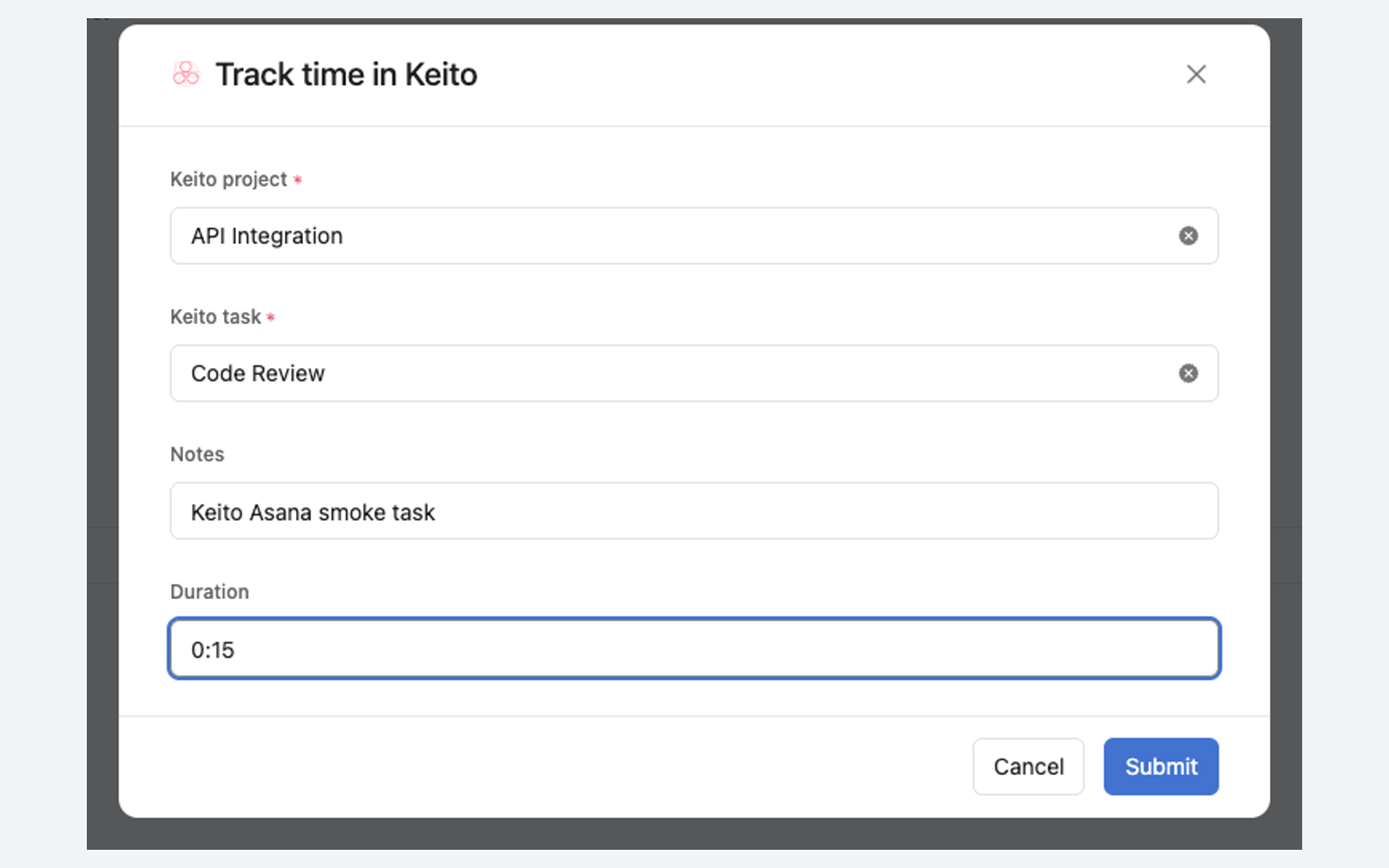
- Open an Asana task and choose Track time in Keito.
- Select the Keito project and task. If an authorised teammate has already tracked this Asana task, their selection is prefilled when you can access that Keito project.
- Keep the Asana task name in Notes or edit it.
- Leave Duration blank to start a timer. To log completed time instead, enter a duration such as
1:30,90m, or1.5h; logging a duration does not stop a timer running elsewhere. - If another timer is running when you start one, choose Stop it and switch to this work. Keito never replaces a running timer silently.
- Submit the form. Asana attaches the Keito resource to the task, which shows the Keito widget.
Starting a timer attaches Keito to the task, and Asana then hides the Track time in Keito entry point on that task. To stop the timer, stop it in Keito. Alternatively, choose Remove from task on the Keito resource in Asana, open Track time in Keito again, and submit with Duration blank.
After Keito Is Attached To A Task
Once a Keito resource is attached to a task, Asana hides the app entry point on that task. To track time on that task again, use Keito, or choose Remove from task on the Keito resource in Asana first.
The Task Widget
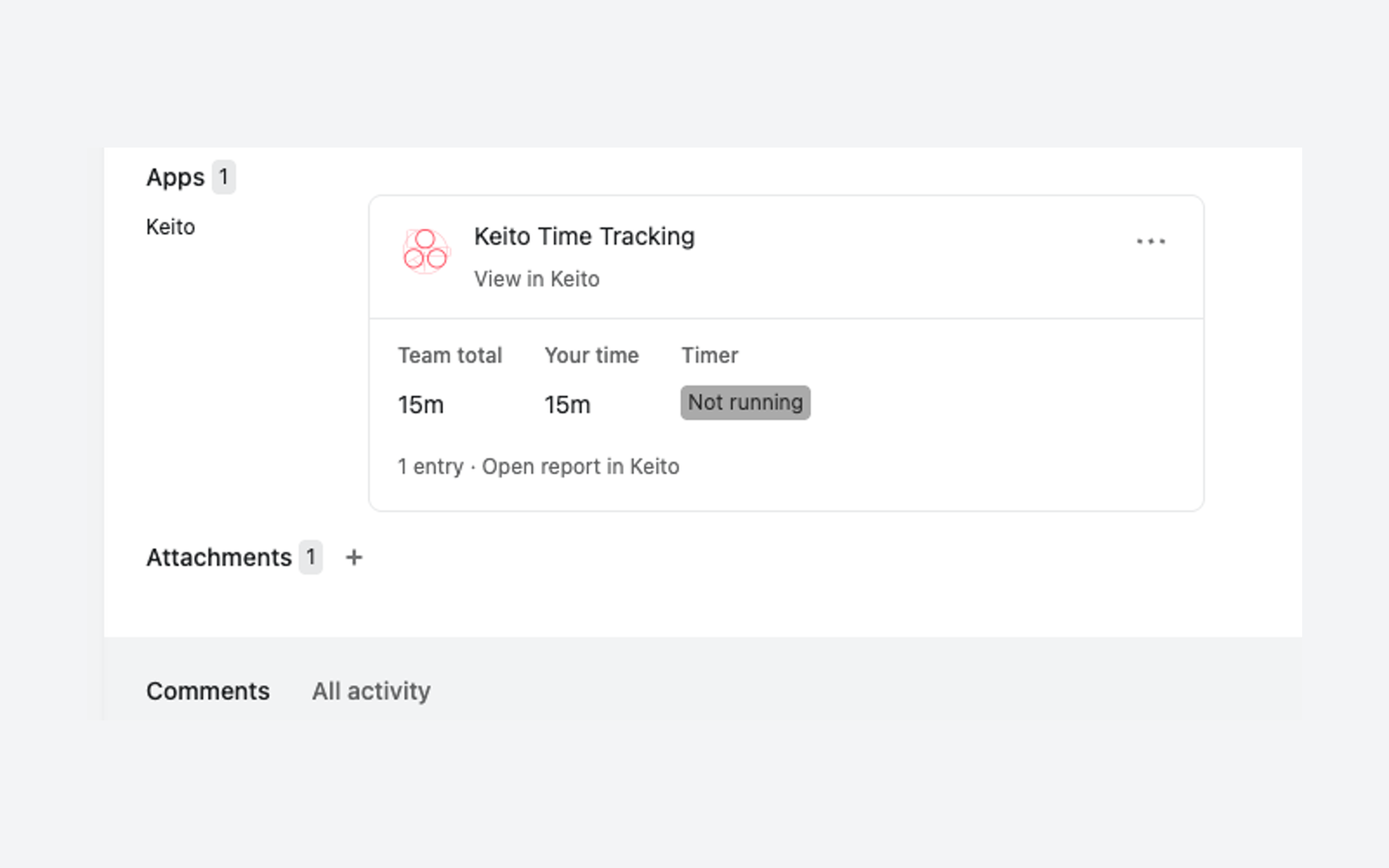
The Keito widget on an Asana task shows the team total, your time, and whether your timer is running.
The widget refreshes when Asana reloads it; it does not tick every second. Live elapsed time remains available in Keito’s own timer views.
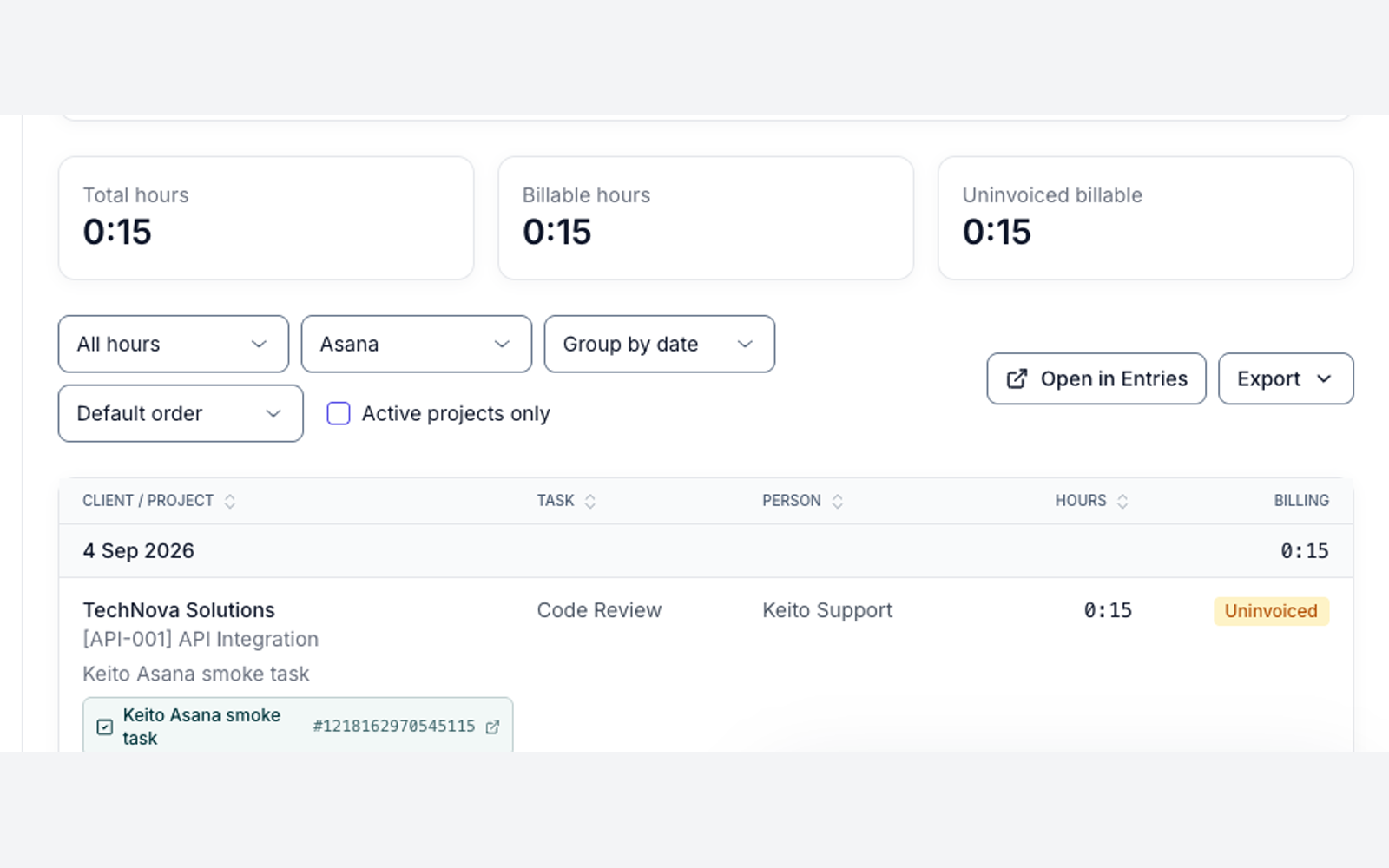
Choose Open report in Keito to open the Keito detailed time report filtered to that Asana task.
Shared Project And Task Mapping
After a successful entry, Keito remembers the selected Keito project and task for that Asana task. The selection is shared with other authorised members, but Keito only prefills it for people who can access that Keito project. If a project or task becomes inactive or inaccessible, choose another one.
Import And Project Sync
Keito owners and administrators can also import Asana projects and people, and turn on one-way project sync so imported project names and archived state follow Asana. Asana tasks are not imported.
The first time, choose Reconnect Asana in Settings > Integrations > Asana to grant Keito read access to Asana projects, people, and teams. The full admin guide is Asana Import & Project Sync.
Security
- Asana’s requests to Keito are signed, and Keito verifies them.
- Sign-in uses OAuth.
- Keito encrypts stored Asana credentials.
Disconnect
- A connected Keito owner or administrator can disconnect their own account from Settings > Integrations > Asana.
- A Keito owner or administrator can disable the integration. This revokes every member’s connection.
- Removing Keito from an Asana project removes the task entry point and widget from that project; it does not delete Keito time entries.
Troubleshooting
The form asks me to connect
Complete both the Asana authorisation and Keito sign-in using the identities that belong to the connected workspaces. Each user must make this connection once.
Connecting says the Business plan is required
If the Keito sign-in popup shows “Asana time tracking is included in the Keito Business plan. Upgrade this Keito workspace to Business, then try again.”, the Keito workspace is not on the Business plan. Keito’s Settings > Integrations > Asana page shows “Asana is included in the Business plan” for the same reason.
A Keito owner or administrator can upgrade the workspace to Business from Settings > Billing (see Plans & Pricing), then connect again from Asana.
The previous project or task is not prefilled
The saved selection may be inactive or unavailable to your Keito user. Choose an accessible project and task; a successful entry updates the shared selection.
Another timer is already running
Choose Stop it and switch to this work to stop the current timer and start this one. To keep the current timer running, close the form or log a completed duration instead.
Track time in Keito is missing from a task
If a Keito resource is already attached to the task, Asana hides the entry point. Track time in Keito, or choose Remove from task on the Keito resource first.
Import or project sync asks me to reconnect
A Keito owner or administrator must choose Reconnect Asana once in Settings > Integrations > Asana. See Asana Import & Project Sync.
I cannot find Keito in Asana
Install Keito from the Asana app gallery or the Keito install link. If the task entry point still does not appear in a project, check that a project administrator has added Keito through Customize > Apps.