Reporting Overview
Keito connects tracked time and expenses to team capacity, project budgets, invoices, and payments. The report you can see depends on both your workspace plan and your role.
For a complete illustrated walkthrough, read Reporting in Keito: Pro and Business Guide.
Reporting by plan
| Reporting capability | Solo | Pro | Business |
|---|---|---|---|
| Time summary by client, project, and task | Yes | Yes | Yes |
| Project budget progress | Yes | Yes | Yes |
| Uninvoiced, invoiced, and payments received reports | For the workspace owner | Yes, subject to role | Yes, subject to role |
| PDF, CSV, and Excel exports from the summary time report | Yes | Yes | Yes |
| Standard CSV and Excel data export | Yes | Yes | Yes |
| Team time, capacity, and utilisation | No | Yes | Yes |
| Manager permissions and approval reporting | No | Yes | Yes |
| Detailed time and detailed expense reports | No | No | Yes |
| Saved and shared reports | No | No | Yes |
| Contractor cost and utilisation report | No | No | Yes |
| Audit log | No | No | Yes |
| Audit CSV with recorded before/after values (owners and administrators) | No | No | Yes |
| Exports from advanced detailed reports and the audit log | No | No | Yes |
Pro is the team-reporting plan. It adds the team dimension, capacity and utilisation, approvals, manager access, and per-member rates. Business keeps those Pro capabilities and adds entry-level detail, reusable reports, contractor costs, audit history, and advanced report exports.
Time and billable value
Open Reports → Time and choose Clients, Projects, Tasks, or, on Pro and Business, Team. The headline figures show total, billable, and non-billable hours plus billable value.
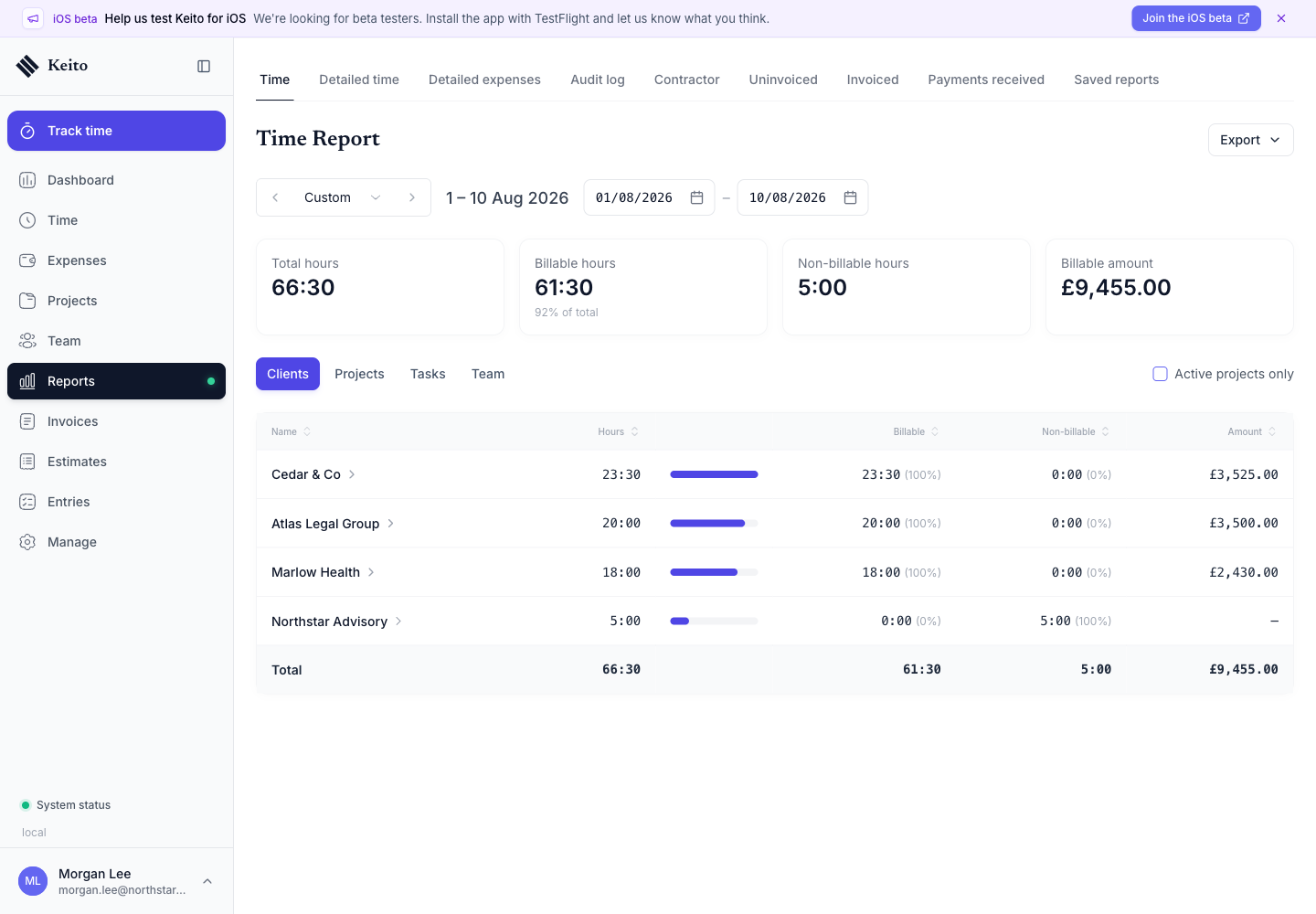
Use the period selector for a week, month, quarter, year, or custom range. Select a row to move from a client into its projects, then into the underlying tasks and people permitted by your role.
Team capacity and utilisation on Pro
The Team view compares recorded hours with each person’s weekly capacity. It separates billable and non-billable time so a manager can distinguish workload from revenue-generating work.
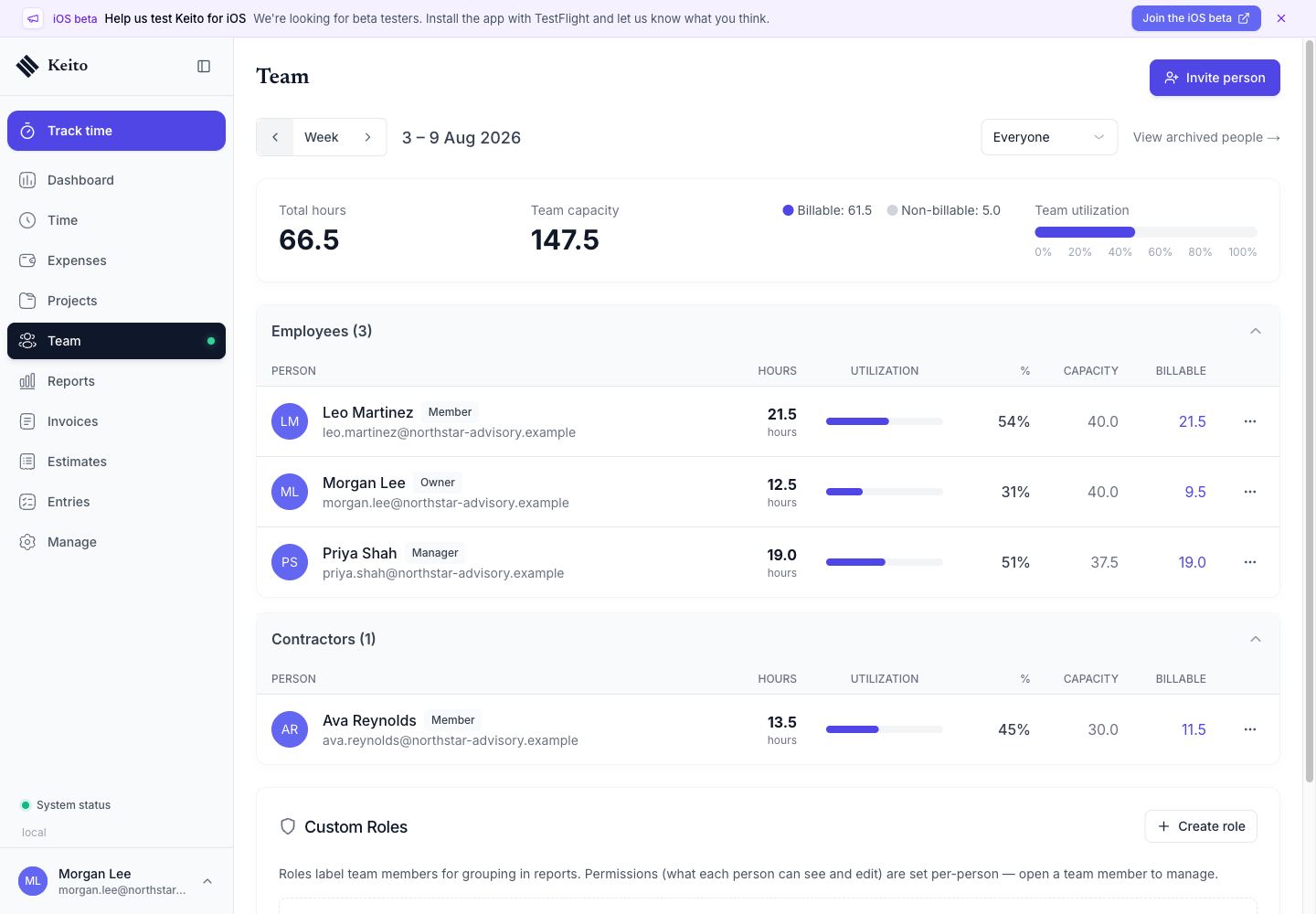
This view is available on Pro and Business. Solo is limited to one licensed person and does not include team reports.
From work in progress to cash received
Users with management access can follow the billing lifecycle through three reports:
- Uninvoiced shows billable time and expenses that have not yet been placed on an invoice.
- Invoiced shows time and expenses already included on invoices.
- Payments received shows money recorded against invoices during the selected period.
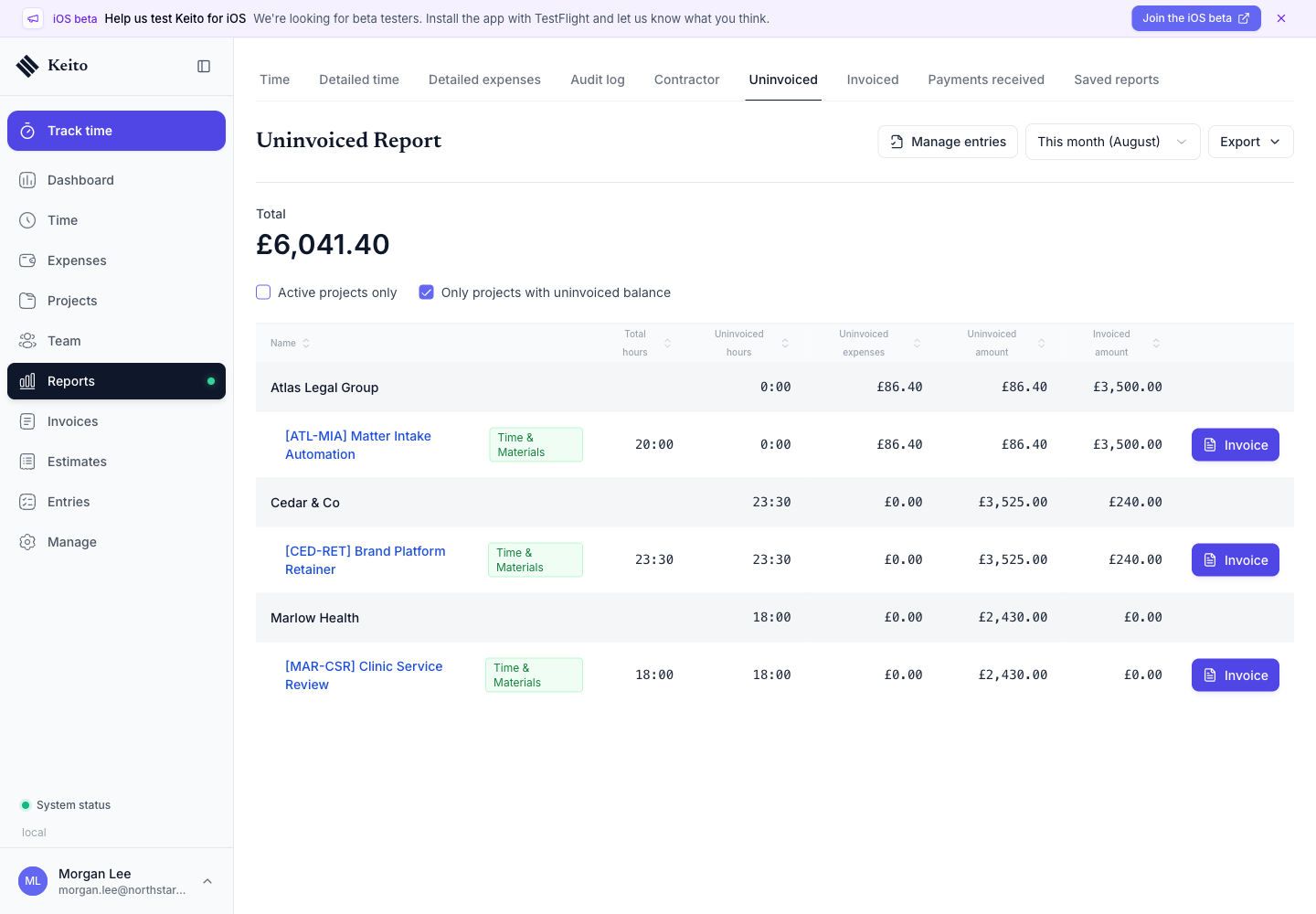
These views are useful for billing review and cash collection. Their data is limited by workspace role and manager permissions.
Advanced reporting on Business
Business adds filters and individual-row detail for audits, reconciliations, and recurring operational reviews.
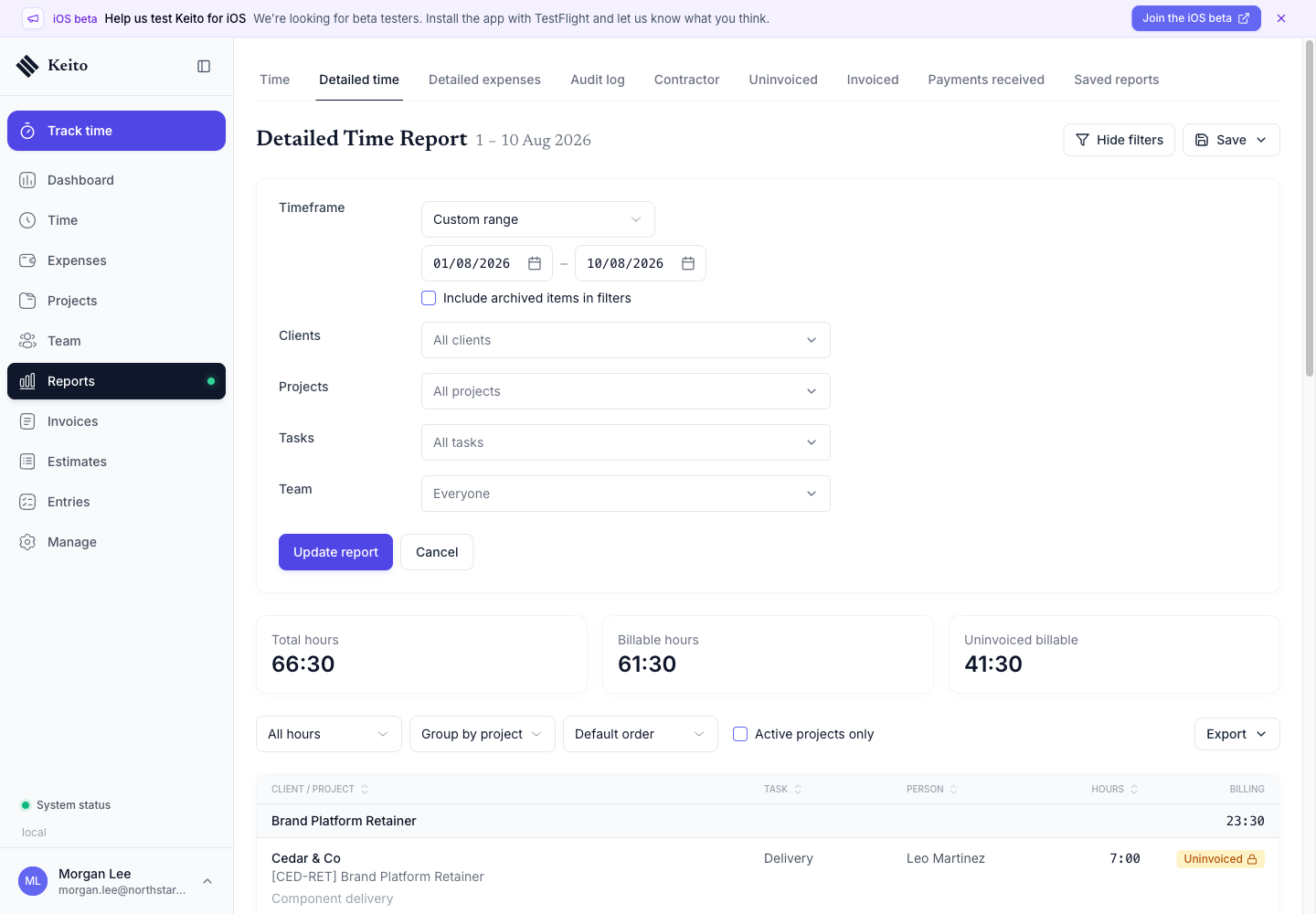
Business reporting includes:
- detailed time with client, project, task, person, billable state, approval state, and invoice status filters;
- detailed expenses with client, project, category, person, billable state, approval state, and invoice status filters;
- saved reports that preserve a filter setup and can be shared with teammates;
- contractor hours, capacity, utilisation, and cost;
- an audit log for timesheet, approval, settings, project, and invoice events, with CSV exports of recorded before/after values for owners and administrators;
- advanced report exports.
Permissions and financial visibility
- Members see their own time and expenses.
- Managers see data for the people and projects included in their manager permissions.
- Administrators and owners can report across the workspace.
- Financial values are shown only to roles allowed to see rates and amounts.
- Business audit-log access is restricted to administrators and owners.
Plan access does not override role permissions. A Pro manager, for example, receives team reporting only for the scope an administrator has granted.